How to Get More Yelp Reviews

Service providers use QR Pad to turn happy customers into 5-star reviews—in seconds. No more asking, no more forgetting.

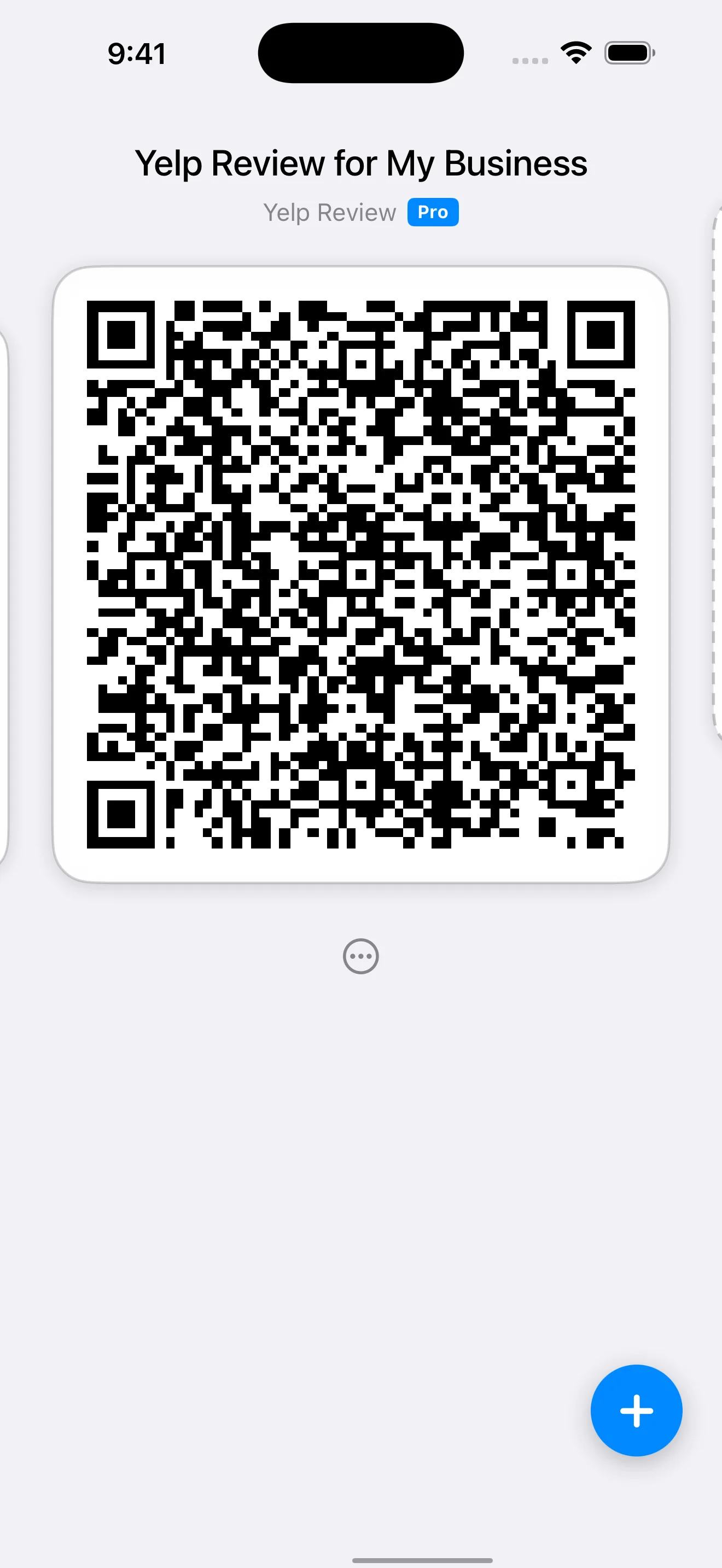
QR Pad app screenshot

Why Don't Customers Leave Reviews?

You do great work. Your customers are happy. But when you ask for a Yelp review, you get a 'yes' that never turns into a 5-star rating. Why? Because the process is filled with friction:

1. They have to open the Yelp app.
2. Search for your business name.
3. Find you in the results.
4. Tap 'Write a Review'.
5. Then *finally* start writing.

By the time they get home, the moment is lost. It’s not that they didn't want to—it's that it was too much work.

One Scan. One Moment. One More 5-Star Review.

QR Pad eliminates every single one of those steps. Your customer scans a simple QR code and is taken *directly* to your Yelp review page.

No searching. No typing. No friction. Just a happy customer ready to leave a great review.

How It Works

1

Create Your QR Code

Inside the QR Pad app, select the 'Yelp Review' template and find your business. Your code is ready in 10 seconds.

2

Share at the Perfect Moment

Show the QR code right from your phone after the job is done. It's always with you, always ready.

3

Collect More 5-Star Reviews

Your customer scans, lands on your Yelp page, and leaves a 5-star review while they're still smiling about your service.

Perfect For Service Providers

Movers

After placing the last box, pull out your phone and show your QR code. They scan it right there and leave a review while they're still grateful for your careful handling of their belongings.

Carpet Cleaners

When the customer walks through and admires the freshly cleaned carpets, that's your moment. Pull up your QR code and say, 'If you're happy with how this turned out, I'd love a quick review.' One scan, done.

Handymen

Right after fixing the leaky faucet or installing the shelf, when the customer inspects your work and nods approvingly—that's when you present your QR code. Capture that satisfaction immediately.

Locksmiths

After successfully getting them back into their home or car, emotions are high and gratitude is real. Show them your QR code on your phone. They'll scan it on the spot.

Appliance Repair

When the dishwasher starts running smoothly again, the customer is relieved. Before you pack up your tools, show them your QR code. That relief translates into a positive review.

Pest Control

After treating the home and explaining the follow-up plan, show your QR code before you leave. Customers appreciate the professionalism and will scan it right away.

Mobile Detailers

When the customer sees their car gleaming in the sunlight, that's your review moment. Show your QR code while they're still admiring the shine. The wow factor drives the 5-star rating.

Home Organizers

After transforming a chaotic closet into an organized masterpiece, the customer is thrilled. Present your QR code before you leave. Their excitement will fuel a glowing review.

The Complete Guide to Getting More Yelp Reviews

Why Yelp Reviews Matter for On-Site Service Providers

For movers, carpet cleaners, handymen, and other mobile service providers, Yelp reviews are your digital storefront. When a potential customer searches for 'movers near me' or 'carpet cleaning service,' your Yelp rating is often the deciding factor between you and a competitor.

Studies show that 93% of consumers read online reviews before choosing a local business. A single extra 5-star review can increase your conversion rate by 10-15%. For a service provider completing 20 jobs per month, that's 2-3 additional bookings—just from one review.

But here's the problem: most service providers struggle to collect reviews. The traditional process is broken. You finish a job, the customer says they'll leave a review, and then... nothing. They forget. They get busy. The moment passes.

How to Ask for Yelp Reviews (Without Being Pushy)

The key to getting more reviews is asking at the right moment with the right approach. Here's the psychology: customers are most motivated to help you immediately after you've delivered value. That's why on-site service providers have a unique advantage—you're there in person when satisfaction is highest.

**The Perfect Ask:** After completing the job and confirming the customer is happy, say something like: 'I'm really glad you're satisfied with the work. If you have a moment, a quick review would mean the world to my business. I have a QR code on my phone that takes you right there—just scan and you're done.' Then show your phone with the QR code.

Notice what you're NOT doing: You're not asking them to remember your business name. You're not asking them to search on Yelp later. You're not creating homework. You're making it effortless in the moment when they're most motivated.

**What NOT to Say:** Avoid phrases like 'Can you leave me a 5-star review?' This feels transactional and puts pressure on the customer. Instead, focus on making it easy: 'If you're happy, I'd appreciate a quick review.' Let the quality of your work drive the rating.

Follow-Up Scripts That Actually Work

Not every customer will scan your QR code on the spot. Some are in a hurry. Some need to think about it. That's where a follow-up text comes in. Send it within 24 hours while the experience is still fresh.

**Text Template 1 (Simple):** 'Hi [Name], thanks again for choosing [Your Business] today! If you have a moment, we'd love a quick review. Here's the link 👇 [paste review link]'

**Text Template 2 (Personalized):** 'Hi [Name], I hope you're enjoying your freshly cleaned carpets! If you're happy with how they turned out, I'd really appreciate a quick review. Here's the link 👇 [paste review link]'

**Text Template 3 (For Larger Jobs):** 'Hi [Name], it was a pleasure helping you with your move today. If everything arrived safely and you're satisfied with our service, a review would help us tremendously. Here's the link 👇 [paste review link]'

The key is to keep it short, friendly, and focused on their satisfaction—not your need for reviews. QR Pad makes it easy to share the review link via text right from the app.

Review Request Timing: When to Ask

Timing is everything. Ask too early, and the customer hasn't fully experienced the value. Ask too late, and the moment has passed. Here's the optimal timing for different service types:

**Immediate Services (Movers, Locksmiths, Mobile Detailers):** Ask immediately after completing the job, before you leave the site. The customer can see the finished work and their satisfaction is at its peak.

**Cleaning Services (Carpet, House, Window):** Ask as soon as the customer inspects the work. Walk them through the results, confirm they're happy, then present your QR code.

**Repair Services (Appliance, Handyman, HVAC):** Ask after demonstrating that the repair works. Turn on the appliance, test the fix, get their confirmation, then ask for the review.

**Multi-Day Projects (Contractors, Organizers):** Ask on the final day after the walkthrough. This is when the customer sees the complete transformation and feels the most gratitude.

**Follow-Up Window:** If you're sending a text follow-up, do it within 24 hours. After 48 hours, response rates drop significantly. After a week, the moment is lost.

Overcoming Common Objections

**'I don't have the Yelp app.'** This is where QR codes shine. Your customer doesn't need the Yelp app. When they scan your QR code, it opens Yelp in their phone's web browser. They can leave a review without downloading anything.

**'I'm in a hurry right now.'** No problem. Offer to text them the link: 'Totally understand. Can I text you the link? It'll take 30 seconds whenever you have a moment.' Then send the follow-up text from the app.

**'I don't usually leave reviews.'** Acknowledge and make it easy: 'I completely understand. If you do have a moment, it would really help my business. This QR code on my phone makes it super quick—just scan and you're there.' Often, people who 'don't leave reviews' will do it if you remove all friction.

**'I'll do it later.'** Gently suggest doing it now: 'I appreciate that! If you have 30 seconds now, it's actually faster than remembering later. Just scan this code on my phone and you're done.' If they still decline, send the follow-up text from the app.

QR Pad vs. Other Review Request Methods

Not all approaches to collecting reviews are equal. Here's how QR Pad compares to traditional methods.

Method Effectiveness Effort Cost
QR Pad (Phone-Based) ★★★★★ High (3-5x more reviews) Minimal (show phone, one scan, done) Pro subscription, always with you
Verbal Request Only ★★☆☆☆ Low (5-10% follow-through) High (customer must remember, search, find you) Free, but ineffective
Text with Generic Link ★★★☆☆ Medium (15-20% follow-through) Medium (customer must click, search business) Free, but time-consuming
Competitor Review Apps ★★★☆☆ Medium (often track customer data) Medium (multi-step flows, ads) $10-30/month, often with tracking

Case Study: Carpet Cleaning Service

"We went from 2-3 reviews per month to 12-15 reviews per month after switching to QR Pad. Our Yelp rating jumped from 4.2 to 4.8 stars, and we're booking 30% more jobs. The QR code is now part of our standard process—we show it to every customer before we leave."

— Marcus T., Owner of SparkleClean Carpet Care

5x increase in monthly reviews (from 2-3 to 12-15)
Yelp rating improved from 4.2 to 4.8 stars
30% increase in new bookings within 3 months
QR code integrated into standard job completion workflow

Simple, Transparent Pricing

QR Pad is free to download and includes unlimited QR codes for links, Wi-Fi, and text. Upgrade only when you're ready to supercharge your reviews.

Pro Subscription

$6.99/month

A single extra 5-star review can bring in enough new business to pay for the subscription for a year.

Download on the App Store

Frequently Asked Questions

How do I create a Yelp Review QR code?

Download QR Pad from the App Store. In the app, tap 'Create QR Code', select the 'Yelp Review' type, and search for your business. The app automatically generates a QR code that links directly to your Yelp page.

Do my customers need a special app to scan the code?

No. Any modern smartphone (iPhone or Android) can scan the QR code using its built-in camera app. There is nothing for your customer to install.

Can I see who scanned my QR code?

No. To protect your customers' privacy, QR Pad uses static QR codes that do not track any personal data. We believe in privacy-first design.

Do the QR codes expire?

No. All QR codes created with QR Pad, including free and Pro codes, are permanent and never expire. They will work forever.

What's the best way to share my Yelp Review QR code?

The most effective way is to show it on your phone at the moment of highest customer satisfaction—right after completing the job. The app keeps your QR code instantly accessible, so you're always ready to ask for a review.

What if I also want Google Review QR codes?

Google Reviews support is coming soon and will be included in the same QR Pad Pro subscription. You'll be able to create unlimited review QR codes for both platforms.

Are these QR codes Yelp-compliant?

Yes. QR Pad creates direct links to your public Yelp review page, which is fully compliant with Yelp's guidelines. You're simply making it easier for customers to find your business and leave honest feedback.

Do I need to print my QR code?

No. QR Pad is designed to work right from your phone—no printing required. Just open the app and show your QR code to customers. It's always with you, always ready, and you never run out.

Can I try it before I subscribe?

Absolutely. QR Pad is free to download and use for creating unlimited link, Wi-Fi, and text QR codes. You can see the Pro features and subscribe whenever you're ready.

How do I cancel my subscription?

You can cancel your subscription at any time through your Apple ID settings in the App Store. It's a simple, standard process with no hidden fees.